资源下载
点击下方按钮,前往下载页面。
Firefox Focus怎么用?这浏览器大家应该都听说过,主打保护隐私,用起来挺清爽的。不过最近不少人问Firefox Focus具体怎么设置,比如自动删除历史记录啥的,确实这玩意儿默认设置比较简单,想玩出花样得自己摸索。今天小编就给大家整理一下Firefox Focus的使用方法,照着操作就行。
Firefox Focus浏览器使用教程
1、下载本网站文件打开,点击右上角的选项图标;
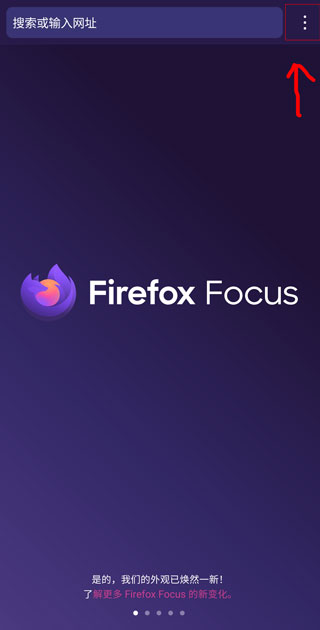
2、选择设置;

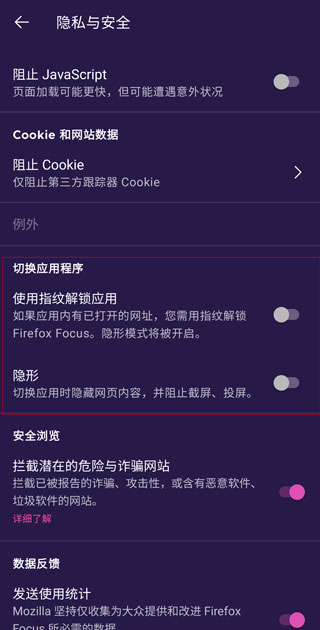
3、选择隐私与安全;

4、推荐将这两项打开更好的保护你的隐私不被泄露;
5、点击搜索;

6、点击搜索引擎;

7、切换成国内常用会比较方便。

原文链接:https://www.theocw.com/appjc/118969.html,转载请注明出处。